Fixing the “Search backend error” in a Multi‑Container Mayan EDMS Deployment
If you run Mayan EDMS using Docker and rely on the default Whoosh search backend, you may eventually encounter this error:
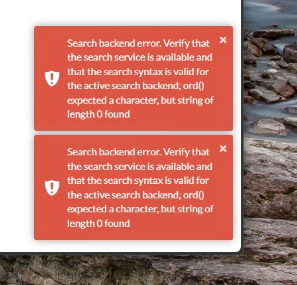
Search backend error. Verify that the search service is available and that the search syntax is valid for the active search backend; ord() expected a character, but string of length 0 found
This error can appear when performing a search, browsing documents, or even loading certain pages. The good news is that the cause is well‑understood and the fix is straightforward once you know where to look.
Understanding the Root Cause
Mayan’s default search engine, Whoosh, stores its index on disk inside the Mayan application volume. In multi‑container deployments, several containers (frontend, workers, Celery beat) all read and write to this index.
Over time, the Whoosh index can become corrupted due to:
Container restarts during indexing
Interrupted writes
Empty or malformed search queries
Upgrades that change index structure
When Whoosh encounters corrupted index data, it throws this cryptic Python error:
ord() expected a character, but string of length 0 found
This isn’t a Mayan configuration issue — it’s simply a damaged index.
The fix is to delete the Whoosh index directory and rebuild it cleanly.
Why This Is Tricky in a Multi‑Container Setup
In a standard single‑container deployment, you can simply exec into the container and delete the index.
But in a multi‑container setup, Mayan uses:
A frontend container
Multiple worker containers
A Celery beat container
A setup_or_upgrade container that runs migrations
All of these share the same /var/lib/mayan volume.
And because the Mayan entrypoint script always tries to connect to PostgreSQL before doing anything else, simply running:
Code
docker compose run frontend bash
causes the container to hang while waiting for the database.
To fix the index, you need a shell without:
Starting dependencies
Running the entrypoint
Triggering the upgrade container
The Correct Procedure
1. Open a shell inside the frontend container (bypassing entrypoint and dependencies)
This is the key step:
Code
docker compose --profile multi_container run --no-deps --rm --entrypoint /bin/bash frontend
This operation is safe, it removes only the index files, not your documents or metadata.
3. Restart Mayan normally
Exit the container, then:
Code
docker compose --profile multi_container up -d
All Mayan services will start cleanly.
4. Rebuild the index from the UI
In Mayan:
System → Tools → Rebuild Indexes
This regenerates the Whoosh index from your existing documents.
Why This Works
Deleting the index forces Whoosh to rebuild it from scratch. Because the corruption is in the index files — not the database — the rebuild produces a clean, functional search backend.
The error disappears immediately after the rebuild completes.
Final Thoughts
This issue is one of the most common problems encountered when running Mayan EDMS with the Whoosh backend, especially in multi‑container Docker deployments. The combination of shared volumes, multiple workers, and the strict entrypoint logic can make maintenance tasks feel more complicated than they really are.
Once you know how to bypass the entrypoint and access the filesystem directly, the fix becomes simple and reliable.
I’m still a bit of a newbie to Mayan EDMS and may post additional notes/guides here as I learn. (As much for my own reference as to help others, but I hope this is useful for you, or a future “me”) 😊